Quick Answer
HCA Rewards is the benefits portal for HCA Healthcare colleagues, accessed at HCArewards.com. Current active employees manage benefits through HCAGHR.com (Benefits → BConnected), while terminated colleagues, beneficiaries, and newly acquired employees log in directly at HCArewards.com. The portal covers medical, dental, vision, 401(k), tuition assistance, and the HCA Hope Fund.
Table of Contents
- What Is HCA Rewards?
- Who Can Use HCA Rewards
- How to Log In to HCA Rewards
- How to Register as a First-Time User
- How to Reset Your Username or Password
- HCA Rewards Mobile App
- What Benefits Does HCA Rewards Include?
- HCA 401(k) Plan Details
- Tuition and Education Assistance
- HCA Hope Fund
- Common Login Mistakes to Avoid
- Expert Tips for Managing Your HCA Rewards Account
- About HCA Healthcare
- Customer Service Contacts
- Frequently Asked Questions
What Is HCA Rewards?
HCA Rewards is the name HCA Healthcare uses for its total compensation and benefits program, and also the name of the online portal where eligible colleagues, beneficiaries, and former employees manage those benefits. The program bundles together medical and dental coverage, retirement savings through a 401(k) plan, life and disability insurance, tuition assistance, employee stock purchases, and emergency financial support through the HCA Hope Fund.
HCA Healthcare positions Rewards as a way to support colleagues “in all areas of your life,” and the portfolio reflects that: it covers day-to-day healthcare needs alongside longer-term financial planning and career development. Because HCA Healthcare operates hospitals, surgery centers, and outpatient facilities across nearly 20 U.S. states and the United Kingdom, the specific plan options, contribution rates, and vendor partners can vary somewhat by facility and location, so it’s worth confirming details for your specific site through the portal or your HR representative.

Who Can Use HCA Rewards
Access to the portal depends on your current employment status, and this is one of the most misunderstood parts of the system:
| Colleague Type | Where You Log In |
|---|---|
| Current, active HCA Healthcare colleague | HCAGHR.com → Benefits → BConnected |
| Terminated colleague | HCArewards.com |
| Beneficiary of a colleague | HCArewards.com |
| Newly acquired colleague (through a facility acquisition) | HCArewards.com (register first) |
If you’re a current employee and you try to log in directly through HCArewards.com, you may find you’re redirected or unable to access your account information. That’s expected behavior, not an error on your part — active colleagues are routed through the HCAGHR system so that benefits, payroll, and single sign-on credentials stay linked together.
How to Log In to HCA Rewards
For current, active colleagues:
- Go to HCAGHR.com.
- Click Benefits.
- Select BConnected.
- Sign in with your standard HCA network credentials (the same username and password used for facility computers or Meditech access).
- You may be prompted to complete multi-factor authentication (MFA), especially if you’re logging in from a personal device or outside the facility network.
For terminated colleagues, beneficiaries, and newly acquired colleagues:
- Visit www.HCArewards.com.
- Locate the Login box.
- Enter your Total Rewards username and password.
- Click Login.
- If you’ve never logged in before, use the “Register (First-time user)” link instead.
Both the desktop site and the mobile experience work on any internet-connected device, including iPhone, iPad, Mac, Android phones, and Windows PCs. The portal uses 256-bit encryption to protect your personal and financial information, and for security reasons, it will automatically log you out after a period of inactivity.
How to Register as a First-Time User
New or newly eligible colleagues need to create an account before the portal will grant access. Here’s the process:
- Go to www.HCArewards.com.
- Click Register (First-time user) at the bottom of the login box.
- Choose whether you already have a Registration Key.
- If yes: Enter the last four digits of your Social Security number and your Registration Key, then click Continue.
- If no: Enter your HCA 3-4 ID, date of birth (MM/DD/YYYY), and home ZIP code to request a key.
- Once you receive your Registration Key (typically by mail or email), enter it in the designated field.
- Follow the on-screen prompts to set your username, password, and security questions.
One detail that trips people up: if you’re a newly hired colleague, you generally cannot register on the HCA Rewards mobile app or portal until after you’ve enrolled in HCA Healthcare benefits and those benefits become effective. Trying to register too early is one of the most common reasons new hires get stuck.
How to Reset Your Username or Password
Forgotten credentials are one of the most common support issues for HCA Rewards users. The correct fix depends on which type of password you use.
If you use your standard HCA network password (most active colleagues):
- Try resetting it through the HCA Atlas portal’s Identity Management or Password Reset section. This updates your password across HCA Rewards, BConnected, and your facility email simultaneously.
If you use a separate HCArewards.com portal password (typical for terminated colleagues or beneficiaries):
- Go to www.HCArewards.com.
- Click Forgot My User Name or Forgot My Password.
- Enter the last four digits of your Social Security number, your date of birth, and your home ZIP code.
- Complete the CAPTCHA verification.
- Click Continue.
- Your username will be emailed to your address on file, or a temporary password link will be sent — you’ll typically need to set a new password shortly after receiving it, so don’t let the email sit unopened for long.
If your account is locked after multiple failed login attempts (the system generally locks after five), call BConnected at 800-566-4114 and be ready to provide the last six digits of your Social Security number and your date of birth. For IT-specific login problems, the HCA IT Help Desk can also assist at 1-844-422-5627.
HCA Rewards Mobile App
HCA Healthcare offers a dedicated mobile app so colleagues can check benefits information without logging into the full desktop portal. It’s available for iPhone, iPad, and Android devices through the Apple App Store and Google Play Store.
With the app, you can:
- Get notifications about benefits deadlines and updates
- Look up contact information for benefits providers
- Track healthcare spending and costs
- Access digital copies of your benefits cards
- Set reminders for enrollment windows
To register in the app, select the Medical Benefits icon and follow the prompts. As noted above, new employees need to wait until their benefits are active before the app registration will work.
What Benefits Does HCA Rewards Include?
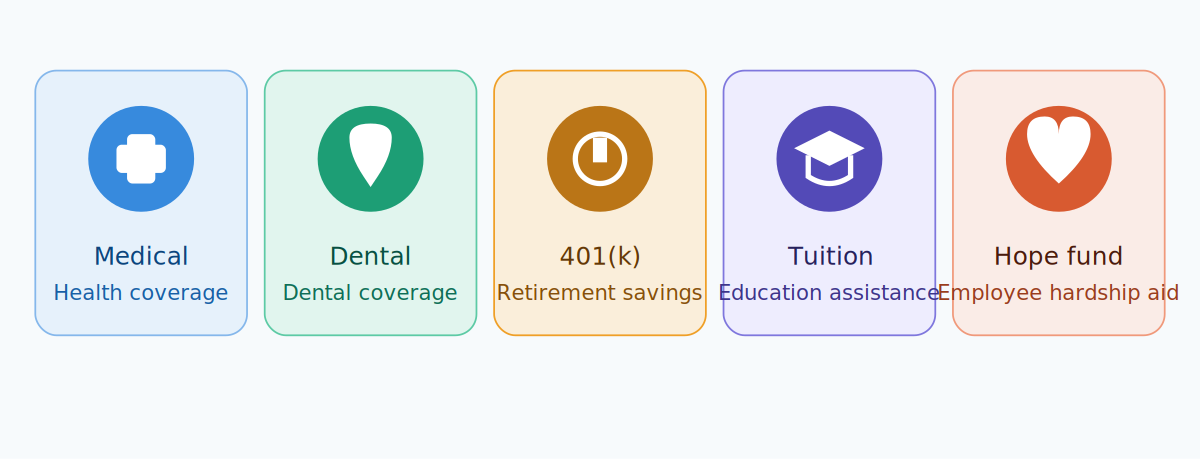
HCA Rewards is intentionally broad. Depending on eligibility (which can vary by employment status, hours worked, and facility), the program includes:
- Medical, dental, and vision coverage, including Well Care plans with copay-based prescriptions
- HCA Healthcare pays roughly 72% of employee medical plan costs, with several plans meeting Gold and Platinum coverage standards
- A nicotine-free discount of up to $650 off medical plan premiums for colleagues who certify as tobacco-free during enrollment
- 401(k) retirement plan with employer matching (details below)
- Employee Stock Purchase Plan (ESPP) offering HCA Healthcare stock at a 10% discount
- Tuition assistance and scholarships, including partnerships with Galen College of Nursing and Western Governors University
- Student Loan Assistance Program, providing 100/monthforeligiblefull−timecolleaguesand100/month for eligible full-time colleagues and 100/monthforeligiblefull−timecolleaguesand50/month for part-time colleagues toward student debt
- Paid family leave, including up to 14 calendar days of paid leave to bond with a new child or care for a family member with a serious health condition
- HCA Hope Fund, a colleague-supported nonprofit offering emergency financial assistance
- Adoption assistance, covering placement fees, legal costs, and qualifying travel expenses
- Employee Assistance Program (EAP), offering free, confidential counseling and referral services
- Flexible Spending Accounts (FSAs) and Health Savings Accounts (HSAs) for eligible high-deductible plans
- Voluntary benefits, such as legal assistance, identity theft protection, pet insurance, and long-term care coverage
- Retail and entertainment discounts through partners like Abenity
Not every benefit applies to every colleague — eligibility often depends on full-time versus part-time or PRN status, collective bargaining agreements at certain facilities, and length of service. It’s worth checking your specific eligibility inside the portal rather than assuming a benefit applies automatically.
HCA 401(k) Plan Details
The HCA 401(k) Plan is one of the more generous parts of the Rewards package, and it’s structured in a couple of stages:
- Automatic enrollment: If you’re newly eligible, you’re automatically enrolled the first day following two months of service. Your starting contribution is 3% of pay, and your facility matches 100% of that automatic contribution.
- Automatic escalation: Each January, your contribution rate increases by 1% unless you opt out.
- Ongoing match: HCA Healthcare offers a 1−for−1-for-1−for−1 match on up to 9% of pay, with the exact match tier depending on years of service.
- Vesting schedule: You’re always 100% vested in your own contributions. For matching contributions, you vest 20% after two years of service, then an additional 20% each subsequent year, reaching 100% vesting after six years.
A “Retirement Readiness” tool inside the portal (sometimes referred to as Remotiv) shows colleagues a personalized score based on current savings, along with access to one-on-one sessions with a savings coach.
Tuition and Education Assistance
Education benefits are a genuine standout in the HCA Rewards package, particularly for colleagues in clinical roles:
- A 10% tuition discount plus scholarship opportunities for full-time and part-time colleagues
- Partnerships with Galen College of Nursing offering reduced tuition for Online RN-to-BSN and MSN programs, with some Direct Bill options
- A partnership with Western Governors University for additional degree pathways
- Scholarships up to $6,000 for eligible employee dependents through the HCA Healthcare Foundation
- The IRS tax-free educational assistance limit of $5,250 per year; amounts above that threshold are typically taxable
- Certification and licensure fees are generally not covered under the tuition assistance program, so it’s worth checking exclusions before assuming a certification exam is reimbursable
Eligibility for these programs can vary significantly by facility and by role, particularly for colleagues covered under a collective bargaining agreement — those employees should check HCAhrAnswers.com for the specific program that applies to their contract.
HCA Hope Fund
The HCA Healthcare Hope Fund started informally in 2004, when colleagues wanted a way to support each other after Florida hurricanes affected hundreds of HCA families. It became a formal nonprofit in July 2005 and now provides emergency financial assistance to colleagues facing disasters or personal hardship — things like house fires, medical emergencies, or natural disasters.
Separately, HCA Healthcare also runs a volunteer-matching charitable program: colleagues who log volunteer hours can unlock an additional 200donationtoacharityoftheirchoiceforevery10hoursvolunteered,upto200 donation to a charity of their choice for every 10 hours volunteered, up to 200donationtoacharityoftheirchoiceforevery10hoursvolunteered,upto1,000 per calendar year.
HCA Rewards vs. Other HCA Employee Systems
Part of what makes HCA Rewards confusing is that it sits inside a wider ecosystem of HCA employee systems, and colleagues sometimes land on the wrong one while searching for benefits information. Here’s how the main ones differ:
| System | What It’s For | Login Method |
|---|---|---|
| HCA Rewards (HCArewards.com) | Benefits: medical, dental, 401(k), tuition assistance | HCAGHR.com/BConnected (active) or direct login (terminated/beneficiary) |
| HCAhrAnswers / OneHR Portal | Pay stubs, certifications, policies, direct deposit, PTO cash-in | HCA 3-4 ID and network password |
| HealthStream Learning Center | Required training modules and continuing education tracking | HealthStream User ID (usually your 3-4 ID) and password |
| Atlas Connect | Internal launcher for HCA network applications, including a link to BConnected for facilities that don’t use HCAhrAnswers | HCA network 3-4 ID and password (on-network only) |
| Facility Scheduler / Kronos | Shift scheduling and timekeeping | Facility-specific 3-4 ID login |
If your facility doesn’t route benefits through HCAhrAnswers.com, Atlas Connect is the correct fallback — it includes a link to the BConnected portal alongside other internal applications. And if you’re having trouble specifically with HealthStream (not HCA Rewards), that’s a separate login system for training records, and account reactivation issues there go through the IT Service Desk rather than BConnected.
Common Login Mistakes to Avoid
- Trying to log into HCArewards.com as a current active employee. You’ll need HCAGHR.com → Benefits → BConnected instead.
- Registering before your benefits are active. New hires often can’t complete registration on the app or portal until enrollment is finalized.
- Re-entering the wrong SSN digits during password recovery. The system typically asks for the last four digits, not the first four — a small but common error.
- Letting a temporary password link sit unused. Temporary passwords are often time-limited, so set your new password soon after receiving the reset email.
- Attempting more than five login tries. This will lock the account and require a call to BConnected or the IT Help Desk to unlock.
Expert Tips for Managing Your HCA Rewards Account
- Bookmark the correct portal for your status. Active colleagues and terminated/beneficiary users use different URLs — bookmarking the wrong one is a frequent source of confusion.
- Check your junk or spam folder after requesting a password reset or registration key; recovery emails are sometimes filtered automatically.
- Use a supported, updated browser. Older browser versions can cause display or login issues on the portal.
- Review your 401(k) escalation setting every January, since your contribution rate increases automatically by 1% unless you actively opt out.
- Confirm tuition assistance eligibility before enrolling in a program, since lifetime maximums and eligibility rules can apply.
About HCA Healthcare
HCA Healthcare, originally founded as the Hospital Corporation of America in 1968, is headquartered at One Park Plaza in Nashville, Tennessee. As of recent company filings, HCA Healthcare operates roughly 190 hospitals — a mix of general acute care, behavioral health, and rehabilitation hospitals — along with more than 2,400 additional sites of care, including surgery centers, freestanding emergency rooms, urgent care clinics, physician practices, and diagnostic centers, spread across roughly 20 U.S. states and England.
The company employs around 320,000 people and trades on the New York Stock Exchange under the ticker HCA. In 2026, HCA Healthcare ranked No. 60 on the Fortune 500 list of the largest U.S. corporations by revenue, and it has been repeatedly recognized on Fortune’s list of the World’s Most Admired Companies within the healthcare industry.

Customer Service Contacts
| Need | Contact |
|---|---|
| BConnected (locked accounts, general benefits questions) | 800-566-4114 |
| HCA IT Help Desk (general login/portal issues) | 1-844-422-5627 |
| HealthStream / IT Service Desk (training account reactivation) | 800-265-8422 |
| HCA Healthcare corporate offices | (615) 344-9551 |
| Corporate headquarters address | One Park Plaza, Nashville, TN 37203 |
Because contact numbers and support routing can shift over time or vary by facility, it’s a good idea to confirm the current number listed directly inside your HCA Rewards or HCAhrAnswers account if something here doesn’t connect you correctly.

Frequently Asked Questions
1. What is HCA Rewards?
HCA Rewards is HCA Healthcare’s employee benefits program and the online portal (HCArewards.com) where colleagues, beneficiaries, and former employees manage medical, dental, retirement, and other benefits.
2. How do I log into HCA Rewards if I’m a current employee?
Go to HCAGHR.com, click Benefits, then select BConnected. Active colleagues cannot access full benefits directly through HCArewards.com.
3. Can beneficiaries and dependents access HCA Rewards?
Yes. Spouses and dependents are generally eligible for coverage under the plan, and beneficiaries can access relevant benefit information through the portal designated for their status.
4. What do I do if I’m locked out of my account?
Call BConnected at 800-566-4114, or the IT Help Desk at 1-844-422-5627, and be prepared to verify your identity with your Social Security number and date of birth.
5. When does the HCA 401(k) match start?
Newly eligible colleagues are automatically enrolled on the first day following two months of service, with an initial 3% contribution matched 100% by the facility.
6. How long until I’m fully vested in my 401(k) match?
You vest 20% after two years of service and an additional 20% each year after that, reaching 100% vesting after six years. Your own contributions are always 100% vested immediately.
7. Does HCA Rewards cover tuition assistance?
Yes. Colleagues can access a 10% tuition discount, scholarships, and partner programs through Galen College of Nursing and Western Governors University, subject to eligibility and lifetime maximums.
8. Is there a mobile app for HCA Rewards?
Yes. The HCA Rewards app is available on the Apple App Store and Google Play Store, though new hires must wait until their benefits are active to register.
9. What is the HCA Hope Fund?
It’s a colleague-supported nonprofit, formalized in 2005, that provides emergency financial assistance to HCA Healthcare colleagues facing disasters or personal hardship.
10. How many hospitals does HCA Healthcare operate?
As of recent filings, HCA Healthcare operates approximately 190 hospitals and more than 2,400 additional care sites across roughly 20 U.S. states and England.
11. Can I change my benefits outside of open enrollment?
Generally, no — benefit changes are limited to the Annual Open Enrollment period unless you experience a Qualifying Life Event, such as marriage, birth of a child, or loss of other coverage.
12. Do HCA Rewards recognition points expire?
Points earned through HCA’s colleague recognition program generally do not expire as long as you remain employed, and rehired colleagues within six months may have prior points reinstated.